















Google Cloud Translation API Key
Follow these steps to create and secure an API key for use in Joomla or other translation applications.
Step 1: Create a New Project
-
Go to the Google Cloud Console.
-
Log in with your Google account.
-
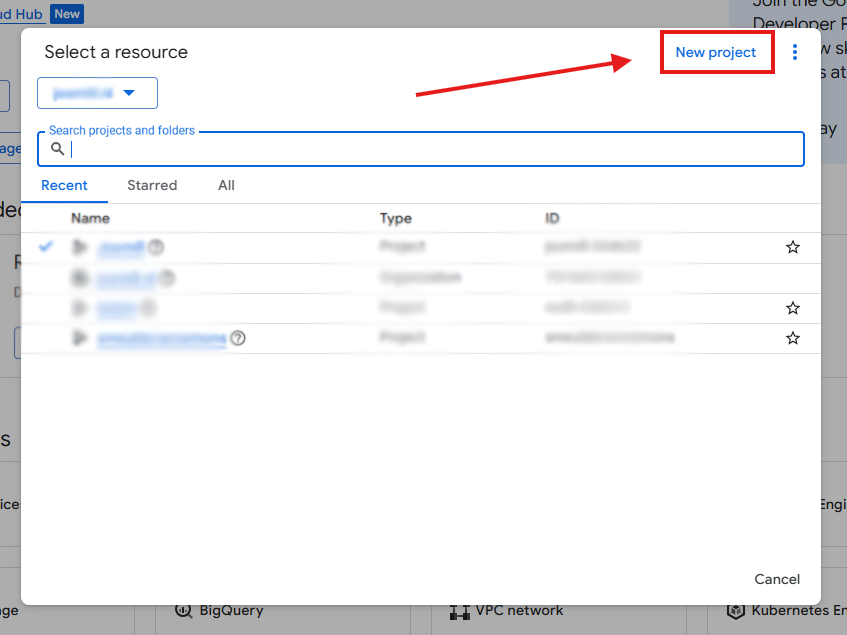
Click the Project Dropdown in the top-left corner (next to the Google Cloud logo).

-
Click New Project in the top-right of the pop-up window.
-
Enter a name (e.g.,
Joomla-Auto-Translate) and click Create.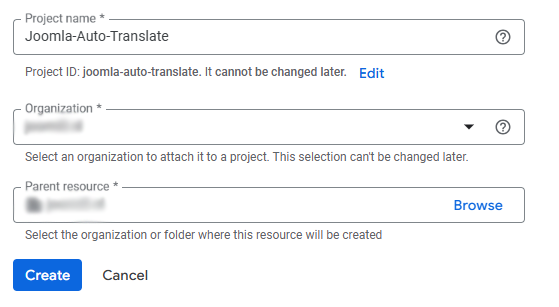
-
Important: Ensure the new project is selected in the dropdown menu before proceeding.

Step 2: Set Up Billing (Required)
Google requires a linked credit card or bank account to activate APIs, even if you stay within the "Free Tier" limits.
-
Open the main menu (≡) in the top-left corner and select Billing.

-
Click Link a billing account or Manage billing accounts.
-
Follow the prompts to enter your payment information.
Step 3: Enable the Translation API
The API key won't work unless the specific "Cloud Translation" service is turned on.
-
In the top search bar, type: "Cloud Translation API".

-
Select the result under "Marketplace" or "APIs".
-
Click the blue Enable button.

Step 4: Create Your API Key
-
Navigate to APIs & Services > Credentials via the sidebar menu (≡).
-
Click + CREATE CREDENTIALS at the top and select API key.

-
A pop-up will appear with your key (starting with
AIza...). Copy this key for later use.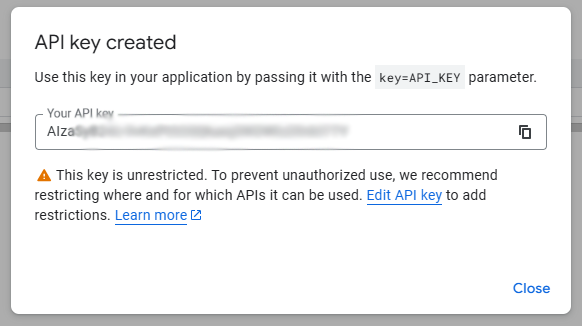
Step 5: Secure Your Key (Highly Recommended)
To prevent unauthorized use and unexpected costs, you must restrict your key.
-
In the Credentials list, click the Name of the key you just created.

-
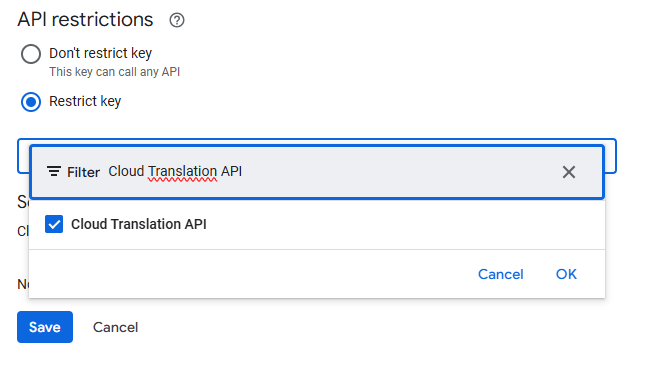
Under API restrictions, select Restrict key.
-
Click the "Select APIs" dropdown, search for Cloud Translation API, and check the box.
-
Click OK, then click Save.
[Visual: Screenshot showing the "Restrict key" radio button and the API selection dropdown]
Step 6: Integration in Joomla
-
Log in to your Joomla Backend.
-
Navigate to Plugins > System - Autolanguage.
-
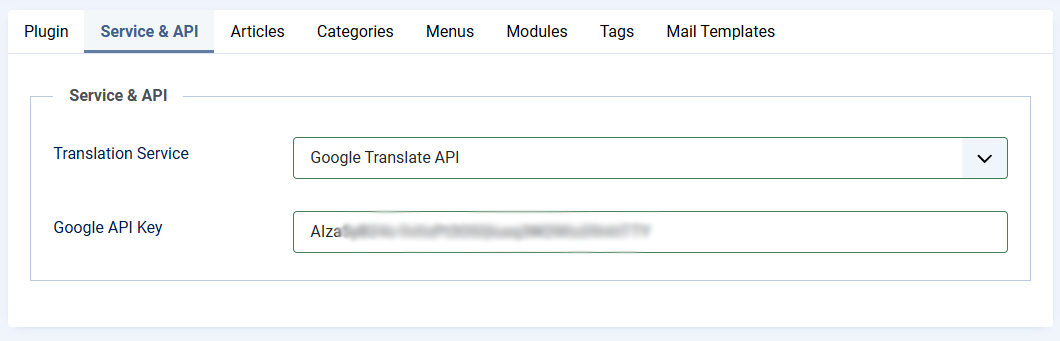
Open the Service & API tab.
- Select Google Translate API
-
Paste your key into the Google API Key field.
-
Save & Close.
Usage & Costs at a Glance
| Usage Volume | Estimated Cost |
| First 500,000 characters / month | Free |
| Every 1 million characters after | ~$20.00 |