














Configuration - Categories
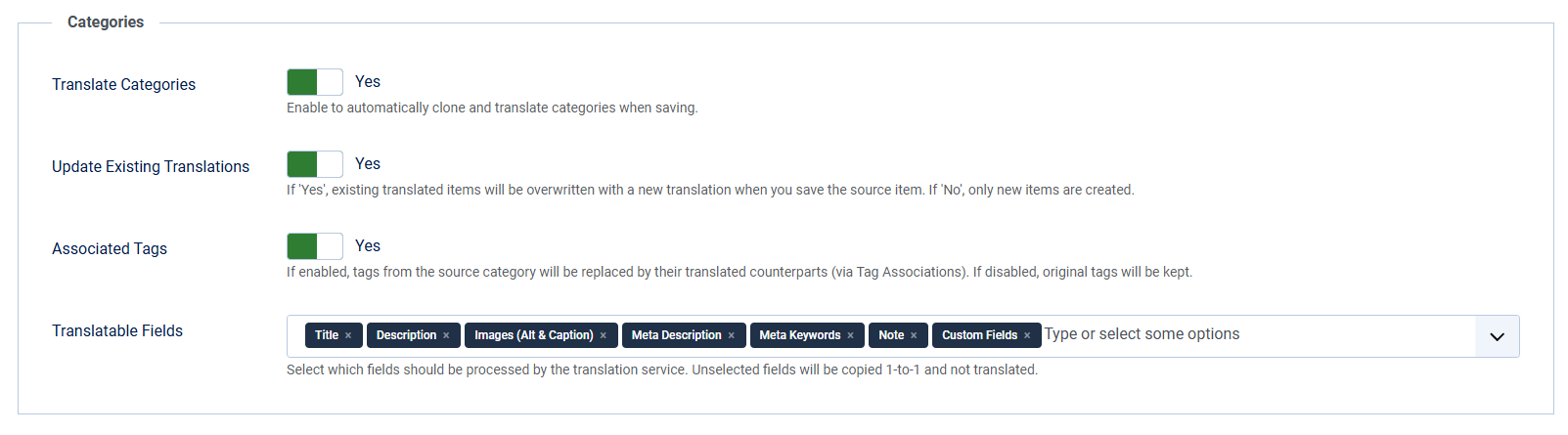
| Translate Categories |
Enable to automatically clone and translate categories when saving. |
| Active Categories | Limit translation to specific categories. Leave empty to allow all categories. |
| Update Existing Translations | If 'Yes', existing translated items will be overwritten with a new translation when you save the source item. If 'No', only new items are created. |
| Associated Tags | If enabled, tags from the source category will be replaced by their translated counterparts (via Tag Associations). If disabled, original tags will be kept. |
| Translatable Fields | Select which fields should be processed by the translation service. Unselected fields will be copied 1-to-1 and not translated. You can choose from: Title (aliases will be translated also), Description, Images (Alt & Caption) (images itself won't be translated), Meta Description, Meta Keywords, Note and Custom Fields (Only Text, Textarea and Editor fields will be translated, other fieldtypes will be copied 1-to-1 and not translated) |
| Default State for New Translations | Set the publication state for newly created category translations. 'Default' copies the state from the original category. You can choose from: Default (copy from original), Published, Unpublished, Archived, Trashed |