













Currently Open
Currently Open/Closed is only available in the PRO version.
Unlock this and other features by upgrading to Joomill Opening Hours PRO
Go PRO
Unlock this and other features by upgrading to Joomill Opening Hours PRO
Go PRO
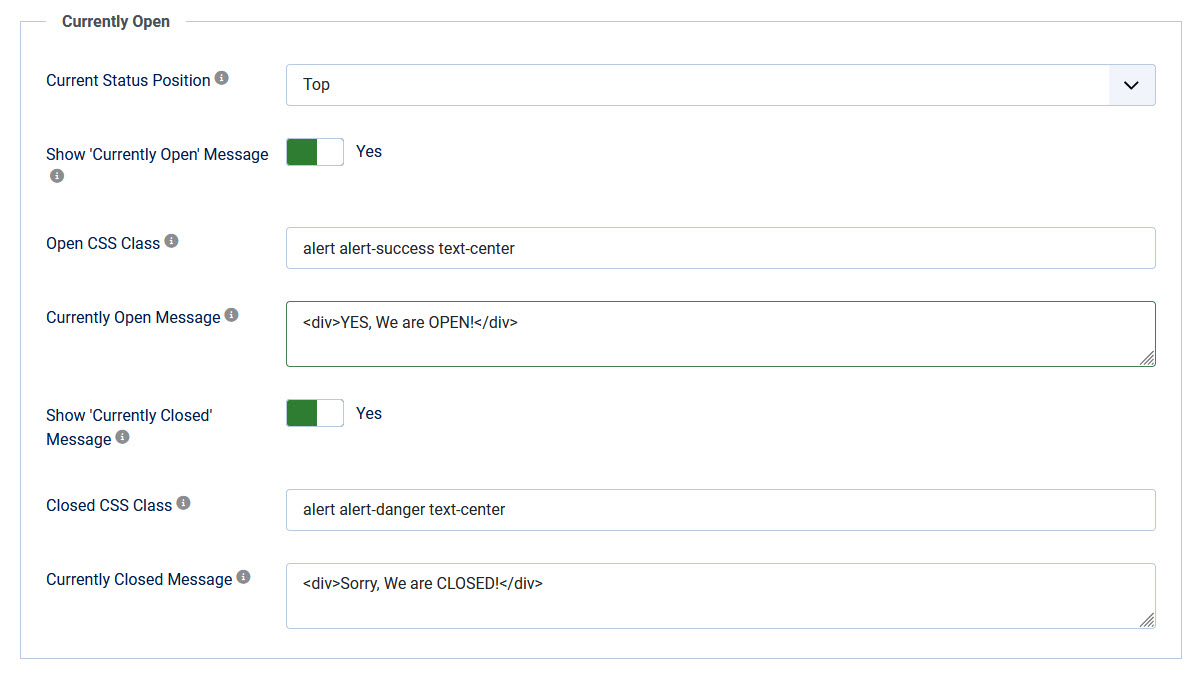
In this tab you can setup if you would like to show the status of your shop.
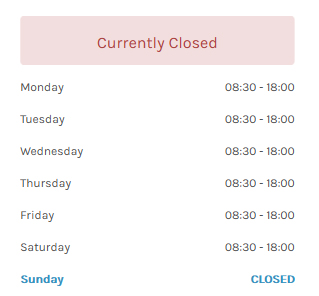
In the frontend it will look like:

| Current Status position | Display Currently open / closed message at Top or Bottom of the module. |
| Show Currently Open Message | Show a message when your business is open. |
| Open CSS Class | Set a CSS Class for the Currently Open message. Default: alert alert-success text-center |
| Currently Open Message | Enter a message when your business is open. You might use HTML like <div>, <h4>, etc. |
| Show Currently Closed Message | Show a message when your business is closed. |
| Closed CSS Class | Set a CSS Class for the Currently Closed message. Default: alert alert-danger text-center |
| Currently Closed Message | Enter a message when your business is closed. You might use HTML like <div>, <h4>, etc. |